If you've ever had a TV die after a storm, or watched your air conditioner's control board fail for no obvious reason, there's a good chance a power surge was to blame. Most people don't think about power surges until something expensive stops working. By then, the damage is done.
At Power Amp Electrical, we install whole-home surge protection devices (SPDs) across Western Melbourne and Geelong every week. It's one of the simplest and most cost-effective upgrades we recommend, and here's why every Melbourne home should have one.
What Is a Power Surge?
A power surge is a sudden, brief spike in voltage above the normal 230V that Australian homes receive. These spikes can last just microseconds, but they carry enough energy to damage or destroy anything connected to your electrical system.
Think of it like water pressure in a pipe. Your appliances are designed to handle a steady flow. A surge is like a sudden blast of high-pressure water — it can burst the pipe or damage what's at the other end.
How Big Are We Talking?
Normal household voltage in Australia is 230V (within a tolerance of +10% / -6%, so roughly 216V to 253V). A power surge can spike anywhere from 300V to several thousand volts. Even a relatively small surge of 400-500V, repeated over time, degrades sensitive electronics.
What Causes Power Surges?
This is where most people are surprised. Lightning gets all the attention, but it's actually the least common cause.
External Causes
- Lightning strikes: The dramatic one. A direct or nearby strike can send massive surges through power lines. Melbourne's western suburbs — Point Cook, Werribee, Tarneit — are particularly exposed during spring and summer storms rolling in from the west
- Grid switching: When your electricity distributor switches circuits or restores power after an outage, voltage spikes can occur
- Downed power lines: Fallen lines and damaged transformers cause irregular voltage
- Nearby industrial loads: Large motors starting up at nearby commercial or industrial sites can send surges back through the grid
Internal Causes (The Sneaky Ones)
Here's the surprise: up to 80% of power surges originate inside your own home.
- Air conditioners starting up: Compressors draw huge amounts of current when they kick in, creating voltage fluctuations on your circuits
- Refrigerators and freezers: Same issue — compressor motors cycling on and off
- Pool pumps: Large motors create surges every time they start
- Power tools: Especially older motors in garages and sheds
- Electric ovens and cooktops: High-draw heating elements switching on
Every time a high-draw appliance starts, it creates a small surge on the circuit. Individually, these are minor. But over months and years, they degrade sensitive electronics — your smart TV, computer, router, smart home devices, and even modern appliance control boards.
What Damage Do Power Surges Actually Cause?
Immediate Damage
A large surge (typically from lightning or grid events) can instantly destroy:
- TVs, monitors, and entertainment systems
- Computers, laptops, and networking equipment
- Air conditioner control boards
- Washing machine and dryer electronics
- Garage door openers
- Security camera systems
- Smart home hubs and connected devices
Cumulative Damage (The Hidden Killer)
This is what most people don't realise. Small, repeated surges don't kill devices instantly — they degrade them over time. Internal components weaken with each surge until something fails prematurely.
Signs of cumulative surge damage include:
- Appliances failing years before their expected lifespan
- Electronic devices behaving erratically
- LED lights flickering or dying prematurely
- Smart devices losing connectivity or resetting
- Appliance control boards failing (especially air conditioners and ovens)
The average Australian home has 20+ surges per day from internal sources. Over a year, that's thousands of small voltage spikes wearing down your electronics.
The Real Cost
| Item | Typical Replacement Cost |
|---|---|
| Air conditioner control board | $500–1,500 |
| Smart TV (65") | $800–2,500 |
| Computer/laptop | $1,000–3,000 |
| Router + network equipment | $200–600 |
| Washing machine control board | $300–800 |
| Fridge control board | $300–700 |
| Garage door opener | $400–800 |
| Security camera system | $500–2,000 |
A single surge event can cause thousands of dollars in damage. The cost of whole-home surge protection? A fraction of that.
Powerboard Surge Protectors vs Whole-Home Surge Protection
Most people rely on powerboard surge protectors — the ones you buy from Bunnings or Officeworks. They have a role, but they're not the solution most people think they are.
Powerboard Surge Protectors
How they work: A metal oxide varistor (MOV) inside the powerboard absorbs excess voltage and diverts it to the earth wire. When the MOV absorbs enough energy, it degrades and eventually fails — often without any warning.
Limitations:
- They wear out silently: Most powerboards don't tell you when their surge protection has failed. That $40 surge board you bought three years ago? There's a good chance it's now just a regular powerboard
- They only protect what's plugged into them: Your air conditioner, oven, hardwired lighting, ceiling fans, and anything else directly wired isn't protected
- They can't handle large surges: A lightning-induced surge can easily overwhelm a powerboard protector
- They don't protect data/phone lines: Surges can enter through data cables, phone lines, and antenna connections too
- Quality varies enormously: Cheap units may offer almost no real protection
Whole-Home Surge Protection Devices (SPDs)
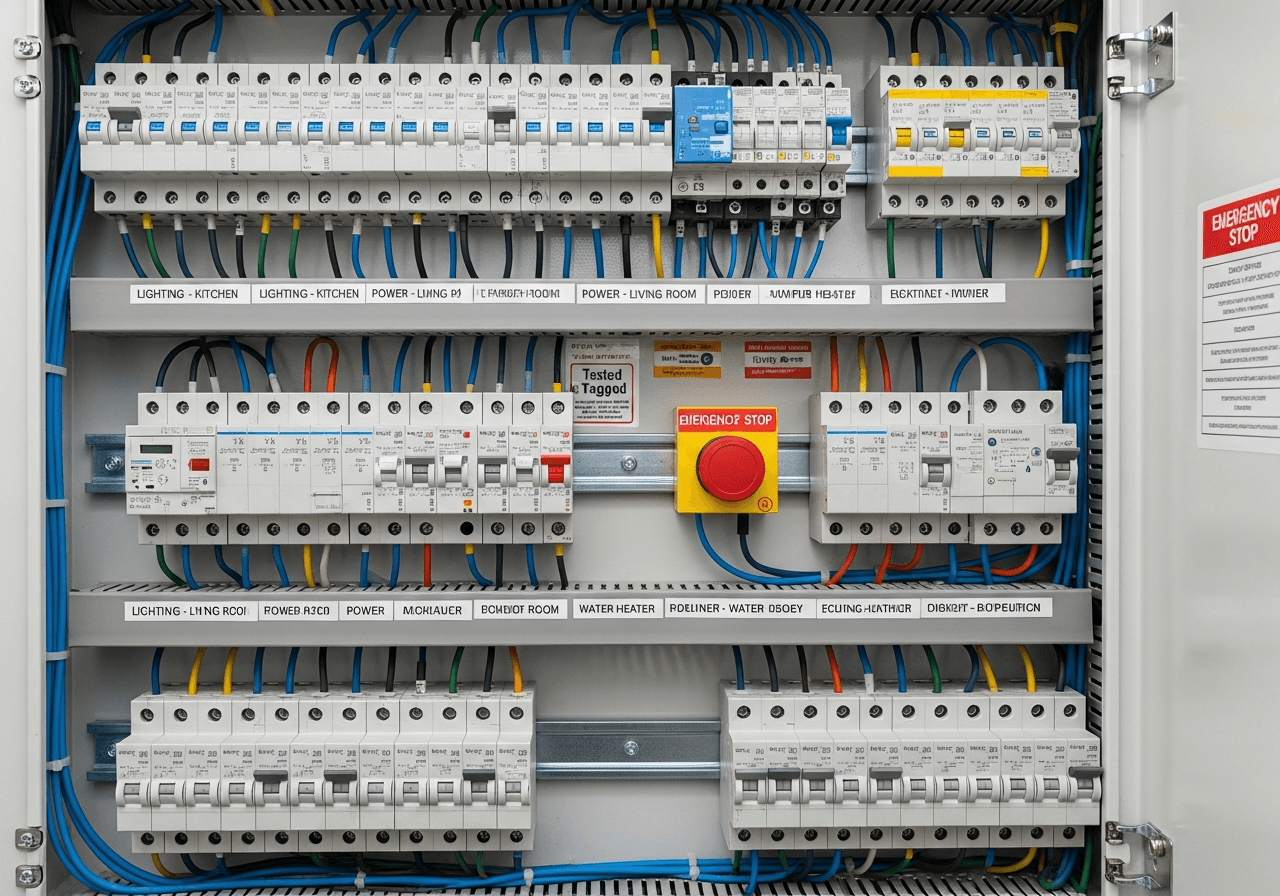
A whole-home SPD is installed directly in your switchboard. It sits between the incoming power supply and all your circuits, protecting everything in the house.
How they work: Similar technology to powerboard protectors (MOVs and spark gaps), but at a much larger scale. They clamp voltage spikes before they reach any circuit in your home.
Advantages:
- Protects everything: Every circuit, every device, every hardwired appliance
- Handles larger surges: Rated for much higher surge currents (typically 20,000–40,000 amps)
- Status indication: Most quality units have LED indicators showing protection status
- Longer lifespan: Built for continuous duty
- First line of defence: Catches surges at the entry point before they reach your circuits
Comparison
| Feature | Powerboard Protector | Whole-Home SPD |
|---|---|---|
| Protection scope | Single power point | Entire home |
| Surge rating | 1,000–5,000A typical | 20,000–40,000A typical |
| Protects hardwired appliances | No | Yes |
| Failure indication | Rarely | Yes (LED status) |
| Lifespan | 2–5 years (often unknown) | 10+ years with indicator |
| Typical cost | $30–80 per unit | $300–600 installed |
| Professional installation | No | Yes (licensed electrician) |
The Best Approach: Both
For maximum protection, use a whole-home SPD as your primary defence, with point-of-use surge protectors at sensitive equipment like computers and entertainment systems. This creates two layers of protection — the SPD catches the big surges at the switchboard, and the point-of-use protector handles any residual voltage that gets through.
Australian Standards for Surge Protection
Surge protection devices installed in Australian homes must comply with AS/NZS 1768 (Lightning protection) and AS/NZS 61643.11 (Surge protective devices for low-voltage systems).
Key Requirements
- SPDs must be installed by a licensed electrician
- They must be appropriately rated for the installation
- Correct coordination with circuit breakers and safety switches (RCDs)
- Proper earthing is essential — an SPD without good earthing is significantly less effective
Types of SPDs (Classified by Location)
| Type | Installation Point | Purpose |
|---|---|---|
| Type 1 | At the main switchboard (before the meter) | Lightning protection — for areas with high lightning risk |
| Type 2 | At the main switchboard (after the meter) | Most common for residential. Protects against switching surges and indirect lightning |
| Type 3 | At the point of use (power points) | Fine protection for sensitive equipment |
For most Melbourne homes, a Type 2 SPD at the switchboard provides excellent protection. If you're in an area with frequent storm activity — and Melbourne's western corridors from Werribee through to Bacchus Marsh certainly qualify — Type 1 + Type 2 combination may be worth considering.
When Does Your Switchboard Need Upgrading for Surge Protection?
Adding a surge protection device to your switchboard is straightforward in most cases. But sometimes the switchboard itself needs attention first.
Signs Your Switchboard May Need an Upgrade
- No spare capacity: Modern SPDs need dedicated circuit breaker positions. If your switchboard is already full, you'll need to upgrade or expand
- Ceramic fuses: If you still have ceramic fuses, you need a full switchboard upgrade before adding surge protection. Read more about the warning signs of an outdated switchboard
- Poor earthing: SPDs rely on a solid earth connection to divert surges safely. Older homes may need earthing upgrades
- No safety switches (RCDs): Current standards require RCDs on all circuits. If your switchboard doesn't have them, upgrading the whole board makes more sense than just adding an SPD
In many cases, we install surge protection as part of a broader switchboard upgrade. It's the ideal time to add it — the switchboard is already being worked on, and we can ensure everything is properly coordinated.
How Much Does Whole-Home Surge Protection Cost?
| Service | Typical Cost |
|---|---|
| SPD supply and installation (standard switchboard) | $300–600 |
| SPD as part of switchboard upgrade | $200–400 (add-on) |
| SPD + data line protection | $500–800 |
| Premium SPD with monitoring | $600–900 |
These costs include a quality Type 2 SPD, installation, testing, and a Certificate of Electrical Safety.
Compare that to the cost of a single surge event — one fried air conditioner control board ($1,000+) and the SPD has already paid for itself.
Who Needs Whole-Home Surge Protection Most?
While we recommend it for every home, it's especially important if you have:
- Expensive electronics: Large TVs, gaming setups, home cinema systems, computers
- Smart home systems: Smart lighting, automated blinds, smart locks, voice assistants — these are all vulnerable to surges
- Home offices: If you work from home, a surge destroying your computer and data is a serious risk. Read our home office electrical guide
- Solar panel systems: Inverters are expensive and surge-sensitive
- EV chargers: EV charging equipment represents a significant investment worth protecting
- Air conditioning: Modern inverter air conditioners have sensitive control boards
- Security systems: CCTV and alarm systems are often the first casualty of surges
- Areas with frequent storms: Melbourne's western suburbs experience regular storm activity, particularly in spring and summer
What About Insurance?
Here's something most homeowners don't realise: while home insurance typically covers damage from power surges caused by external events (like lightning), there are important caveats.
- Excess applies: You'll still pay the excess on each claim
- Proof may be required: You may need to demonstrate that a surge caused the damage
- Internal surges: Damage from internal surges (your own appliances) is typically not covered
- Wear and tear: Cumulative degradation from repeated small surges is considered wear and tear — not covered
- Multiple items: If a surge takes out several devices, some policies treat each as a separate claim with separate excesses
Having whole-home surge protection demonstrates due diligence and can support insurance claims when external events do occur. Some insurers view it favourably, similar to having safety inspections up to date.
Installation: What to Expect
The Process
- Assessment: We inspect your switchboard, check earthing, and assess your protection needs
- Recommendation: We recommend the appropriate SPD type and any additional work needed
- Installation: The SPD is installed in your switchboard with a dedicated circuit breaker. This typically takes 1–2 hours
- Testing: We test the installation and verify earth connections
- Handover: We explain the status indicators and what to look for
Minimal Disruption
Power is typically off for 30–60 minutes during installation. We can schedule around your day.
No Ongoing Maintenance
Quality SPDs don't need regular maintenance. Just check the status LED periodically — green means protected, red or no light means the unit needs replacing (which typically happens after a major surge event or after many years of service).
Protecting Your Whole Home: Beyond the Switchboard
For comprehensive protection, consider these additional measures:
- Data line protection: Surges can enter through phone lines, Ethernet cables, and coaxial (antenna/Foxtel) connections. Data line SPDs protect these entry points
- Proper earthing: The foundation of all surge protection. We can test and upgrade your earth system if needed
- Point-of-use protectors: Quality surge powerboards at computers, entertainment systems, and other sensitive equipment add a second layer
- Uninterruptible power supplies (UPS): For critical equipment like computers and NAS drives, a UPS provides both surge protection and battery backup during outages
Frequently Asked Questions
Will a surge protector stop lightning from damaging my home?
A whole-home SPD provides excellent protection against most lightning-induced surges that travel through power lines. However, a direct lightning strike on your home delivers such enormous energy that no residential surge protector can fully absorb it. The SPD will significantly reduce the damage, but a direct strike is an extreme event. For most lightning scenarios — nearby strikes and indirect surges — an SPD provides very effective protection.
How long does a whole-home surge protector last?
Quality SPDs typically last 10–15 years under normal conditions. They have a finite capacity to absorb surges, so a major event can use up their protective capacity sooner. That's why status indicators are important — they tell you when the unit has reached the end of its protective life and needs replacing.
Can I install a surge protector myself?
No. In Victoria, all work inside a switchboard must be performed by a licensed electrician. SPDs must be correctly coordinated with circuit breakers and properly connected to the earth system. Incorrect installation can create safety hazards and void the device's protection.
Do I still need powerboard surge protectors if I have a whole-home SPD?
We recommend using both for maximum protection. The whole-home SPD handles the bulk of the surge energy at the switchboard. A quality point-of-use protector at sensitive equipment (computers, TVs, gaming consoles) provides a second layer of clamping for any residual voltage. Think of it as two lines of defence.
Is surge protection included in a standard switchboard upgrade?
Not always, but we strongly recommend it and include it as an option in every switchboard upgrade quote. Adding an SPD during a switchboard upgrade is the most cost-effective time to install one, as the switchboard is already being worked on.
Protect Your Melbourne Home Today
Power surges are invisible, unpredictable, and expensive. Whether it's a summer storm rolling through Hoppers Crossing or your air conditioner cycling on a hot day in Tarneit, surges happen constantly. A whole-home surge protector is one of the most affordable ways to protect thousands of dollars' worth of electronics and appliances.
Book a surge protection assessment:
Call Josh on 1300 797 267
We'll inspect your switchboard, assess your protection needs, and provide a clear quote — no obligation.
Power Amp Electrical is a licensed electrical contractor (REC-34500) serving Western Melbourne and Geelong. All surge protection installations comply with AS/NZS 61643.11 and include Certificates of Electrical Safety.